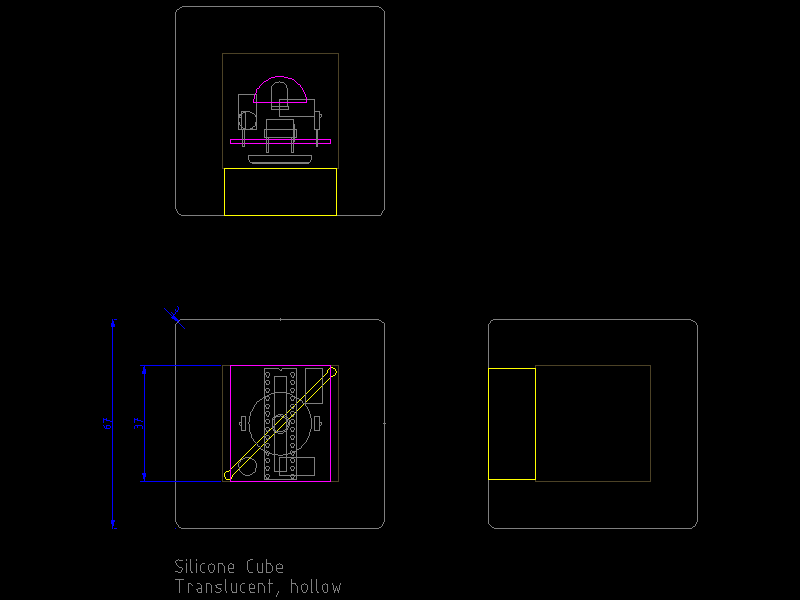
 Alex and I have been developing the plans for the blocks in preparation for building the prototypes in the next week. For this, I built the community edition of QCad (open source FTW!) and have been teaching myself how to draw with it. There was a bit of a learning curve to the interface and the modal model of the application tools, but I’m now relatively comfortable with the basics.
Alex made several physical models of the blocks in styrofoam, which determined that 67mm is the most desirable size for the cubes. After casting a test, hollow cube of silicone, we decided that given the pliability of the material we’d need at least 15mm thick walls. Using these measurements I started sketching out the components as the might be assembled inside the form.
Currently, we plan to have the blocks respond the their orientation as children hold them. The blocks will change colors and vary the color pulsing rate as they are tumbled. Shaking a block will cause it to “call out” to other nearby blocks using IR communication. We’re still determining the effective function of the talking, but we’re thinking of having the colors or pulse rate transfer to the listening blocks. Each block that receives a message will relay it in turn, hopefully contributing to a “bucket brigade” or domino effect.
We’re looking to use the ATmega168 chip for the prototypes as they are cheap and we’re comfortable using them – having come from an Arduino background. Of course, with the timing necessary for the IR encoding and decoding, plus the color variations needed for the RGB LED, we’ve had to dive into the C code and use the mega168’s interrupts directly.
Using these sketches I’ll lay out a circuit that we can prototype on a perf board or even etch some sample boards. We’re still working out the power supply…but I think that getting the user experience right for this first version trumps the practicality goals at this point.

 I’ve had a few days to test the libraries I cobbled together for using openFrameworks with iPhone and also received positive reports from some folks who tried out the Makefiles I provided to them, so here they are for anyone who’s willing to try them out. -please make these instructions better if you see fit-
Update (7.8.2009): Fixed some errant quote mark substitutions in the freetype configure line. Also corrected a tab formatting error in the freeimage makefile.
Ok, here goes. This is going to be a work-in-progress document. Of course, there are no promises with this and your mileage may vary…but it’s been working for me. Please report success (and trouble, hopefully with workarounds).
The basic “tutorial” I followed is on Memo Akten’s blog, memo.tv
I’d highly suggest following Memo’s tutorial for setting up the development environment. However, there are three libraries that he mentions in his article that need to be built for the iPhone specifically: glu, freetype and freeimage. Although he mentions that they have been ported to iPhone I wasn’t able to locate binaries of the libraries, and went through the process of cross-compiling them myself. This post documents what I needed to do to accomplish that.
You’ll need to download the source for each of the libraries listed above, as well as a svn copy of open frameworks plus the ofxiPhone, ofxMultiTouch and ofxAccelerometer addons. I preferred to use ofx-dev which bundled this and many more addons. You also need the Apple Developer Tools including Xcode and the iPhone SDK.
GLU for iPhone:
The glu for iphone package builds painlessly. Build twice: once for the iPhone, once for the iPhone Simulator. Make sure to do a “make clean” before building the second version. The readme explains the make command. I copied the entire folder to ofx-dev/libs/gluiphone
The other two were more difficult for me. I’ve never cross-compiled, so perhaps that contributed to the trouble I had.
FreeImage:
Here is the makefile that I came up with, based on the existing files and what I saw in the glu makefile. Copy the makefile listed below as “Makefile.iphone” alongside the others in the source directory, then run “make -f Makefile.iphone”. This should build both the iPhone and iPhone Simulator libraries into the “Dist” folder. Copy both files to ofx-dev/libs/freeimage/lib
# Configuration for iPhone OS, making static libs
# this will generate both iPhone (arm) and iPhoneSimulator (i686) libs

include Makefile.srcs

CFLAGS =  -g -O2 -Wall -Wmissing-prototypes -std=c99 -ffast-math -fno-strict-aliasing
CXXFLAGS =  -g -O2 -Wall -fno-strict-aliasing

GCC_VERSION = 4.0
IPHONEOS_DEPLOYMENT_TARGET = 2.1
MACOSX_DEPLOYMENT_TARGET = 10.5

PLATFORM_SIM = iPhoneSimulator
PLATFORM_PHONE = iPhoneOS

ARCH_SIM = i686
ARCH_PHONE = armv6

PLATFORM_SIM_DEVELOPER_BIN_DIR = /Developer/Platforms/$(PLATFORM_SIM).platform/Developer/usr/bin
PLATFORM_PHONE_DEVELOPER_BIN_DIR = /Developer/Platforms/$(PLATFORM_PHONE).platform/Developer/usr/bin

SDKROOT_SIM = /Developer/Platforms/$(PLATFORM_SIM).platform/Developer/SDKs/$(PLATFORM_SIM)$(IPHONEOS_DEPLOYMENT_TARGET).sdk
SDKROOT_PHONE = /Developer/Platforms/$(PLATFORM_PHONE).platform/Developer/SDKs/$(PLATFORM_PHONE)$(IPHONEOS_DEPLOYMENT_TARGET).sdk

EXTRA_CFLAGS_SIM += -arch $(ARCH_SIM) -pipe -mdynamic-no-pic -fvisibility=hidden $(INCLUDE) -isysroot $(SDKROOT_SIM)
EXTRA_LDFLAGS_SIM += -arch $(ARCH_SIM) -isysroot $(SDKROOT_SIM) -Wl,-dead_strip
EXTRA_CFLAGS_SIM += -D__IPHONE_OS_VERSION_MIN_REQUIRED=20000 -mmacosx-version-min=$(MACOSX_DEPLOYMENT_TARGET)
EXTRA_LDFLAGS_SIM += -mmacosx-version-min=$(MACOSX_DEPLOYMENT_TARGET)

EXTRA_CFLAGS_PHONE += -arch $(ARCH_PHONE) -pipe -mdynamic-no-pic -fvisibility=hidden $(INCLUDE) -isysroot $(SDKROOT_PHONE)
EXTRA_LDFLAGS_PHONE += -arch $(ARCH_PHONE) -isysroot $(SDKROOT_PHONE) -Wl,-dead_strip
EXTRA_CFLAGS_PHONE += -miphoneos-version-min=$(IPHONEOS_DEPLOYMENT_TARGET)
EXTRA_LDFLAGS_PHONE += -miphoneos-version-min=$(IPHONEOS_DEPLOYMENT_TARGET)

AR_SIM = $(PLATFORM_SIM_DEVELOPER_BIN_DIR)/ar
AR_PHONE = $(PLATFORM_PHONE_DEVELOPER_BIN_DIR)/ar

CC_SIM = $(PLATFORM_SIM_DEVELOPER_BIN_DIR)/gcc-$(GCC_VERSION)
CC_PHONE = $(PLATFORM_PHONE_DEVELOPER_BIN_DIR)/gcc-$(GCC_VERSION)

CFLAGS_SIM = $(CFLAGS) $(EXTRA_CFLAGS_SIM)
LDFLAGS_SIM = $(EXTRA_LDFLAGS_SIM)
CXX_SIM = $(PLATFORM_SIM_DEVELOPER_BIN_DIR)/g++-$(GCC_VERSION)
CXXFLAGS_SIM += $(EXTRA_CFLAGS_SIM) -fvisibility-inlines-hidden
LIBTOOL_SIM = /Developer/Platforms/$(PLATFORM_SIM).platform/Developer/usr/bin/libtool

CFLAGS_PHONE = $(CFLAGS) $(EXTRA_CFLAGS_PHONE)
LDFLAGS_PHONE += $(EXTRA_LDFLAGS_PHONE)
CXX_PHONE = $(PLATFORM_PHONE_DEVELOPER_BIN_DIR)/g++-$(GCC_VERSION)
CXXFLAGS_PHONE += $(EXTRA_CFLAGS_PHONE) -fvisibility-inlines-hidden
LIBTOOL_PHONE = /Developer/Platforms/$(PLATFORM_PHONE).platform/Developer/usr/bin/libtool

TARGET = freeimage
STATICLIB_SIM = lib$(TARGET)-iphonesimulator.a
STATICLIB_PHONE = lib$(TARGET)-iphone.a
HEADER = Source/FreeImage.h

.SUFFIXES: .o-i686 .o-arm
MODULES_ARM = $(SRCS:.c=.o-arm)
MODULES_ARM := $(MODULES_ARM:.cpp=.o-arm)
MODULES_i686 = $(SRCS:.c=.o-i686)
MODULES_i686 := $(MODULES_i686:.cpp=.o-i686)

default: all

all: dist

dist: FreeImage
	cp *.a Dist
	cp Source/FreeImage.h Dist

FreeImage: $(STATICLIB_SIM) $(STATICLIB_PHONE)

$(STATICLIB_SIM): $(MODULES_i686)
	$(LIBTOOL_SIM) -arch_only i686 -o $@ $(MODULES_i686)

.c.o-i686:
	$(CC_SIM) $(CFLAGS_SIM) -c $< -o $@

.cpp.o-i686:
	$(CXX_SIM) $(CXXFLAGS_SIM) -c $< -o $@

$(STATICLIB_PHONE): $(MODULES_ARM)
	$(LIBTOOL_PHONE) -arch_only armv6 -o $@ $(MODULES_ARM)

.c.o-arm:
	$(CC_PHONE) $(CFLAGS_PHONE) -c $< -o $@

.cpp.o-arm:
	$(CXX_PHONE) $(CXXFLAGS_PHONE) -c $< -o $@

clean:
	rm -f core Dist/*.* u2dtmp* $(MODULES_i686) $(MODULES_ARM) $(STATICLIB_SIM) $(STATICLIB_PHONE)
FreeType:
Their makefile situation got me all confused so i just passed command like configure arguments as necessary. This is pretty ugly. -Please make this better someone-
#building freetytpe for iphone
# for iPhone
./configure --prefix=/usr/local/iphone --host=arm-apple-darwin --enable-static=yes --enable-shared=no CC=/Developer/Platforms/iPhoneOS.platform/Developer/usr/bin/arm-apple-darwin9-gcc-4.0.1 CFLAGS="-arch armv6 -pipe -mdynamic-no-pic -std=c99 -Wno-trigraphs -fpascal-strings -fasm-blocks -O0 -Wreturn-type -Wunused-variable -fmessage-length=0 -fvisibility=hidden -miphoneos-version-min=2.0 -gdwarf-2 -mthumb -I/Developer/Platforms/iPhoneOS.platform/Developer/SDKs/iPhoneOS2.0.sdk/usr/include/libxml2 -isysroot /Developer/Platforms/iPhoneOS.platform/Developer/SDKs/iPhoneOS2.0.sdk" CPP=/Developer/Platforms/iPhoneOS.platform/Developer/usr/bin/cpp AR=/Developer/Platforms/iPhoneOS.platform/Developer/usr/bin/ar LDFLAGS="-arch armv6 -isysroot /Developer/Platforms/iPhoneOS.platform/Developer/SDKs/iPhoneOS2.0.sdk -Wl,-dead_strip -miphoneos-version-min=2.0"

# for iPhone simulator
./configure --prefix=/usr/local/iphone --enable-static=yes --enable-shared=no CC=/Developer/Platforms/iPhoneSimulator.platform/Developer/usr/bin/gcc-4.0 CFLAGS="-arch i686 -pipe -mdynamic-no-pic -std=c99 -Wno-trigraphs -fpascal-strings -fasm-blocks -O0 -Wreturn-type -Wunused-variable -fmessage-length=0 -fvisibility=hidden -mmacosx-version-min=10.5  -I/Developer/Platforms/iPhoneSimulator.platform/Developer/SDKs/iPhoneSimulator2.0.sdk/usr/include/ -isysroot /Developer/Platforms/iPhoneSimulator.platform/Developer/SDKs/iPhoneSimulator2.0.sdk" CPP=/Developer/Platforms/iPhoneSimulator.platform/Developer/usr/bin/cpp AR=/Developer/Platforms/iPhoneSimulator.platform/Developer/usr/bin/ar LDFLAGS="-arch i686 -isysroot /Developer/Platforms/iPhoneSimulator.platform/Developer/SDKs/iPhoneSimulator2.0.sdk -Wl,-dead_strip -mmacosx-version-min=10.5"
Run one of the configure lines, then make. I got an error about “asm” being undefined…I think it was in include/freetype/config/ftconfig.h. Change “asm” to “__asm__” (that’s two underscores for both prefix and suffix). If it works then it drops the lib in a hidden dir: “./objs/.libs”. Copy the static lib out of there and rename it as appropriate. i’m using libfreetype-iphone.a and libfreetype-iphonesimulator.a. Run make clean and then run the other configure line and make again. There were some headers missing in from the freetype lib provided with ofx-dev that I noticed in the example ofxiPhone aps…so I copied the entire freetype folder to ofx-dev/libs/freetype-iphone. I put the libraries into freetype-iphone/lib so i could keep everything straight when setting up xcode.
Ok, I think this gets up to the point where we can set up xcode.
 Copy one of the ofxiPhone examples to ofx-dev/apps/dev and open it up in xcode. I used the Graphics example. There is some more explanation on Memo’s site about the project structure, but it was very similar to adding any other addons. However, I put gluiphone, freetype-iphone and freeimage into the libs>core>core libraries package in the xcode project. I’ve attached a screenshot to illustrate better than i can explain. (ofxVectorMath is there for the specific project i have open, is not required).
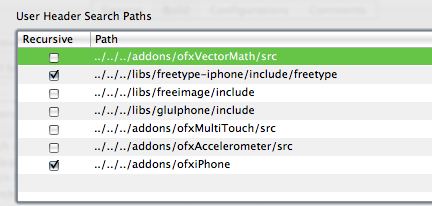
Go to menu Project>Edit Project Settings… and switch to the build tab. Set configuration to “All Configurations” and add in the library and header search paths as appropriate…just like setting up addons.
Set the Overview to Simulator – 2.0 | Debug and try to build. Make sure that all the appropriate libraries have been added to the Target. xcode seems to be able to pick the correct ones for the given architecture.

I initially got an error about a bad BOOL typedef in FreeImage.h:130 I changed it to typedef int8_t BOOL. In perhaps a separate issue, I don’t seem to be able to use the “Boolean” datatype, but can replace it with “bool” instead.
So, that’s what I did to get my system all set up to use openFrameworks with the iPhone. Feel free to let me know how it works out if you use this for yourself. Good luck!
]]> I’ve heard about openFrameworks 0.6 (as of yet unreleased) and specifically efforts to support building apps using oF for the iPhone. There are a few developers who have published videos of their efforts and even several apps in the AppStore.
Memo Atken has a very informative article about setting up the prerelease 0.6 version for use with the ofxiPhone addon. However, there is a HUGE simplification of the steps necessary for getting the supporting libraries installed for use with iPhone.
Update: freetype/freeimage building instructions have been posted.
GLU, FreeType and FreeImage need to be built for use with the iPhone. GLU has a nice iPhone specific project and worked flawlessly. I looked around to see if there were ARM/iPhone built versions of the FreeImage and FreeType libraries already available, but couldn’t find anything. In the end, I hacked up their respective Makefiles and configure options and eventually got everything compiled. I’ve never had to manually cross-compile code, and I don’t *actually* know what I’m doing…but I can sure copy-paste like a fiend.
Eventually, I’ll post the specific changes I made, but I want to test it a bit before I expose my embarrassing level of hackery. In the meantime let me know if you’re itching to get your own environments set up and I’ll do what I can.
For my “hello world” app I ported the particle system from the TrafficFlow project over to the iPhone. It was originally written using oF 0.5 and c++ in xcode, so it was relatively trivial to update for the iPhone with the ofxiPhone addon. I’m using ofx-dev as the codebase. Using the built-in multi touch library sure beats building the computer vision tracking we’re using for the table! Teaser video below.
]]> (ITP 4-in-4 day 4+1, or how i learned to stop worrying and love blowing deadlines)
to complete the signal to noise meter previously posted i wrote up an apple script which calculates a ratio of messages in my mail inbox to the junk messages which have been caught. the apple script then sends that ratio via serial to the signal to noise meter. i’ve set up a rule in mail.app to trigger the script every time a message comes in. the serial output (ascii only, it seems) is thanks to SerialPort X.
it’s certainly not perfect…having a lot of read messages stagnating in the inbox brings the ratio down…but i’m posting the code below so maybe someone can figure a better way.
also, the script wasn’t triggering when called directly from mail’s rules…my workaround was to have a launcher script run ‘do shell script “osascript ” signalToNoise.scpt’. for some reason this worked when the launcher script was triggered by mail – YMMV.
oh! it just when off as i was writing this entry…the light came on, and the needle swung high….i need to clean out the junk mail!
code after the break (i always wanted to write “after the break”)
Apple Script Code
Make a new script and copy it to your ~/Library/Scripts folder.
tell application "Mail"
set junkCount to unread count of junk mailbox as number
set inboxCount to unread count of inbox as number
(* this returns a count of all the messages in the inbox *)
set inboxMsgs to count messages of inbox
(* this returns only the unread count of the inbox *)
set total to 0
repeat with mb in mailboxes
set total to total + (unread count of mb) as number
end repeat
(* this will count all the messages *)
(*
set mailboxMsgs to 0
repeat with mb in mailboxes
set mailboxMsgs to mailboxMsgs + (count messages of mb)
end repeat
*)
if inboxMsgs > 0 then
set sn to junkCount / (inboxMsgs + junkCount) as number
else
set sn to 0
end if
(* establish the baseline value for the meter *)
if sn < 0.3 then
set sn to 0.3
end if
(*
display dialog ("Signal to Noise - " & sn)
*)
end tell
set portName to (item 1 of (serialport list))
set portRef to serialport open portName bps rate 9600
if portRef is equal to -1 then
display dialog "Could not open Serial Port: " & portName
else
delay 2
set sendVal to 10 * sn as integer
serialport write sendVal to portRef (* sn should be a ratio *)
delay 3
serialport close portRef
end if
(* this will list all the serial ports available *)
(*
serialport list
*)
[/sourcecode]
<h3>Arduino code</h3>
This is for the meter, specifically, but could be easily updated for other output devices.
[sourcecode language='c']
/*
Signal / noise meter
2009 Robert Carlsen // robertcarlsen.net
driving a mechanical decibel meter with PWM via Arduino
raw analogWrite values:
3 : -4 (bottom of scale)
9 : +6 (top of scale)
draws about 1mA at top of scale
running through an LED and 220ohm resistor to provide more load
and to protect the Arduino from (possible) reverse current as the
springs pull the needle past the electromagnet when it's turned off
*/
int meterPin = 3;
byte val;
int maxVal = 40; // this is adjusted for the load of the meter, resistor and led
int inputMode = 0;
int numModes = 3;
void setup() {
pinMode(meterPin, OUTPUT);
Serial.begin(9600);
}
void loop(){
if(Serial.available()){
val = Serial.read();
Serial.flush();
// change modes
if(val == 255){
inputMode = (inputMode + 1) % numModes;
val = 0;
return;
}
// allow mode switching. default is to accept ascii 0-9
// second mode is to accept raw bytes 0-254
// third mode echos the received values for testing
switch(inputMode){
case 0: // direct input from Serial Monitor
// converting ascii values to int for math
val = constrain(val,48,57) - 48;
// mapping to a useable range
val = map(val,0,9,0,maxVal);
break;
case 1: // input bytes
// reserve 255 for changing mode
val = map(val,0,254,0,maxVal);
break;
case 2: // monitor input values
Serial.print(val , DEC);
break;
}
}
// send value:
if(inputMode != 2)
analogWrite(meterPin, (int)val);
delay(100);
}
]]>Regardless of the data source, for the output side I’m driving the analog decibel meter with an Arduino using pulse width modulation (PWM). Inside it seems to be a small electromagnet whose field moves the needle to the right. The movement is counteracted by several springs which keep the needle trying to pull back to the left.
It seems to take minimal current < 1mA at 5V to peg the needle. The face of the meter indicates “1mW 600 Ohm” which I assume means that the max input is 1mW and the resistance of the unit is 600Ohm. (Please correct me if I’m wrong). I’ve installed a 220Ohm resistor and small LED in series to provide more load to the PWM pin which allows finer steps in the meter as well as protects the Arduino from any possible reverse current as the needle’s springs pull it back past the electromagnet. I likely don’t need that, but it wouldn’t be an ITP project without an LED (it’s not blinking, though).
In this demo the Arduino is receiving data via a serial connection from a simple Processing sketch to control the position of the needle. In the above mentioned configuration I’m mapping the input value to a PWM output range of 0-40. Sending byte 255 will change modes in the program. The default mode is to accept ASCII values of 48-52 (that’s 0-9) so I can test in a terminal. The second mode will accept all bytes bytes of 0-254, and the third mode simply reports back the received values.
Next step is to figure out exactly what to do with the meter; since it accepts serial data it is pretty modular.
]]>I decided to ignore all the nice easy stuff and get right to speaking to the Meggy’s frame buffer, a 192 byte long array containing the values for each RGB pixel. I wrote up a Processing sketch on a MacBook Pro to capture a video image, scale it to 8×8, format the image in a Meggy framebuffer style array and send the whole thing via serial. The most challenging part was figuring out the framebuffer format, which although documented by EMSL was difficult for me to work out initially.
Also, the colors are not correct on the first try, and the RGB elements respond with different brightnesses than each other. The source code from the Meggy library provided some insight on suitable adjustment levels, which the Processing script is doing before sending along the pixel values. Fun times…enjoy the video (may help to squint at the pixels)! Code below the video.
Arduino code:
/*
  MeggyJr_VideoDisplay
 2009 Robert Carlsen // robertcarlsen.net

 Accepts serial data of a video stream from a desktop counterpart
 Expects a header byte of 128, then 192 bytes of pixel data (<= 127)
*/

#include <MeggyJr.h>
MeggyJr Meg;

// stores how many bytes have been received for the current frame:
byte index = 0;

void setup()
{
  Meg = MeggyJr();    // Required.
  Serial.begin(57600);
}

void loop()
{
  // check if data has been sent from the computer:
  if (Serial.available()) {
    // read in the current byte:
    byte val = Serial.read();

    // look for the header:
    if(val == 128){
      // the header byte was found, the beginning of a new frame in next:
      index = 0;
      return;
    }

    // write the current info directly to the MeggyFrame buffer
    // this may cause tearing or other artifacts...please clean up if you like :)
    // the frame data has been packed in the expected order by the sender program
    // also, only the low four bits are used for pixel color. "& 0x0F"  masks them.
    // i'm thinking of packing other data, such as vertical blanking
    // pixel index or "timecode" in the high bits.
    Meg.MeggyFrame[index] = val & 0x0F;
    index++;
  }

  // don't really need a delay here
  // delay(7);
}
Processing sketch:
/*
  MeggyVideoSend
  2009 Robert Carlsen // robertcarlsen.net

  Captures the video camera image, downsamples it to 8x8
  and packs the pixel data in a format compatible with the Meggy Jr RGB.
  Finally, send the pixel data to the Meggy

  Requires the complementary MeggyJr_Video firmware loaded on the Meggy
*/

import processing.video.*;
import processing.serial.*;

Serial myPort;  // Create object from Serial class
Capture myCapture; // set up a video capture object

// the LEDs respond with varied brightness.
// this adjustment will color correct them.
// feel free to experiment.
float[] adj = {0.6,1.0,0.5}; // red,green,blue

void setup() {
  size(300,300);

  // open a serial port to the Meggy. you may need to change the 0. check the list in the console.
  String portName = Serial.list()[0];
  myPort = new Serial(this, portName, 57600);

  // start a video capture:
  myCapture = new Capture(this, 8, 8, 30);

  // if you have trouble with the above, uncomment the below and replace "Camera Name" with the appropriate device.
  // println(Capture.list());
  // myCapture = new Capture(this, width, height, "Camera Name", 30);
}

void draw() {
  // create an array for the pixel data:
  // one header byte and 192 bytes for pixels (64 pixels * 3 bytes / pixel)
  byte[] c = new byte[193];

  // read the pixels from the video capture:
  myCapture.loadPixels();

  // header byte:
  c[0] = (byte)128;

  // loop through all the pixels in the video image
  // adjust the colors and pack the bytes in the correct order:
  for(int i = 0; i < 64; i++){
    // adjust colors:
    // for an explanation of what's going on, look up "bit shifting" on the Processing site.
    int r = (int)(adj[0]*((myCapture.pixels[i]>>16) & 0xFF));
    int g = (int)(adj[1]*((myCapture.pixels[i]>>8) & 0xFF));
    int b = (int)(adj[2]*((myCapture.pixels[i]) & 0xFF));

    // the Meggy expects 0-15 values only.
    // right shift ">>4" essentially divides our 8-bit values in Processing (0-255) by 16 giving a range of 0-15.
    // the Meggy packs the pixels into a long array, similar to the pixels in Processing.
    // however, each pixel is stored in 3 separate bytes rather than one big integer.
    // the (messy) conversion is below. we're also adding 1 to the index to account for the header byte.
    c[24*(i/8)+i%8+17] = (byte)(r>>4); // r: index + 16
    c[24*(i/8)+i%8+9] = (byte)(g>>4); // g: index + 8
    c[24*(i/8)+i%8+1] = (byte)(b>>4);  // b: index
  }

  // send the whole frame data out via serial:
  myPort.write(c);

  // draw the current frame to the computer screen for preview:
  image(myCapture,0,0,width,height);
}

// read in a new frame of video if available:
void captureEvent(Capture myCapture) {
  myCapture.read();
}
]]>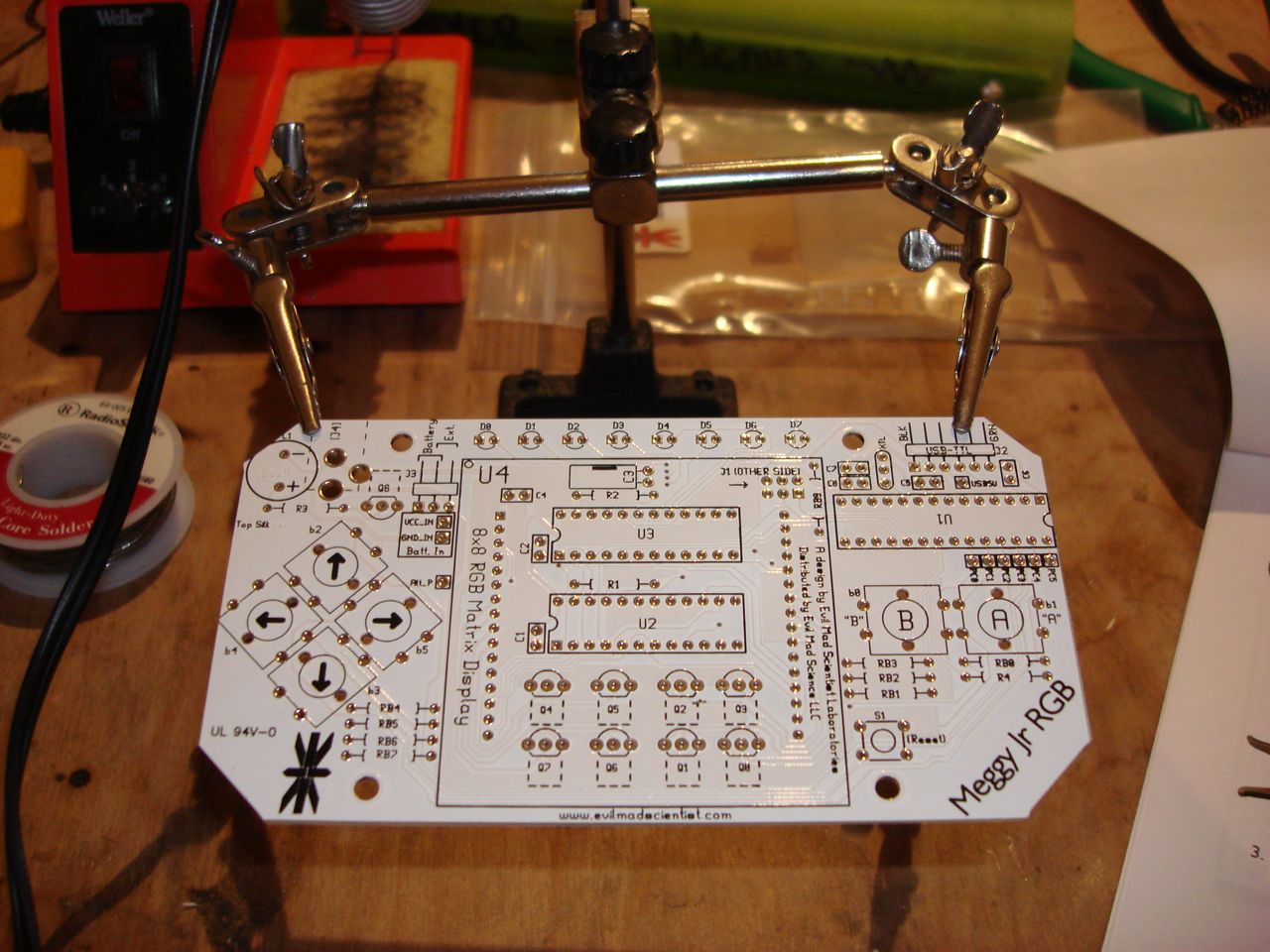 nyc resistor had one of their craft nights last evening, where they invite folks to come in to work on just about anything “so you don’t have to make stuff by yourself.” i had been missing my community fix now that ITP is on winter break, so heading over there to assemble my new meggy jr rgb kit from evil mad scientist seemed like the things to do.
the space is a pretty comfortable workshop in a loft building in downtown brooklyn. it reminded me a lot of my old studio in philly…i was getting nostalgic. the folks there were nice…it was generally pleasant to work quietly and listen to the various conversation topics being discussed. people would look over your shoulder and ask what you were working on. fun times had by all.
the meggy jr rgb is a kit from evil mad science laboratories…kind of a handheld smaller sibling of their peggy kit. it’s driven by an atmel atmega168 and they’ve released an arduino-based library for programming the 8×8 rgb led matrix…super simple drawPx(3,4, Red); how can you beat that? the included (paper) instructions were very clear, with lots of photos…super for a hobbyist (like me). after getting settled, and despite taking pauses to chat with folks i had the kit built in about 2 hours.
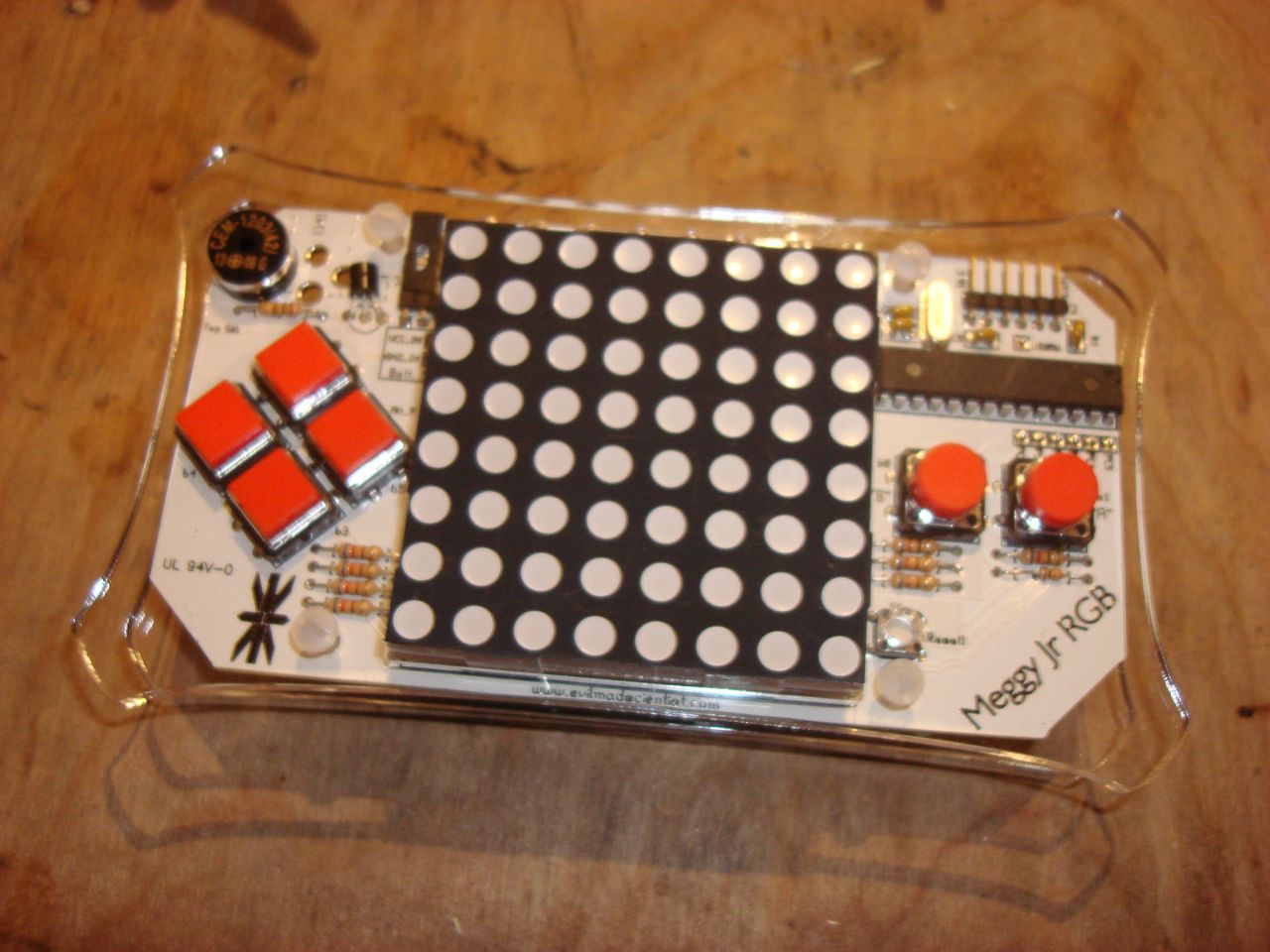 the game provided on the microcontroller is a defender-like side scrolling shooter dubbed “attack of the cherry tomatoes”, which i’d assume is named for the killer red leds which continually advance across the screen. it’s surprisingly engaging and everyone who tried it thought the same. the display is also very vivid…lots of fun.
i’m considering using the 4-in-4 event to write four games for it. although i just had a thought that maybe i’ll write four programs for four platforms, now that i have my iphone developer certificate…hmm. 1. meggy, 2. iphone, 3. desktop… ??? 4. profit! (i hope the joke is well received) :)
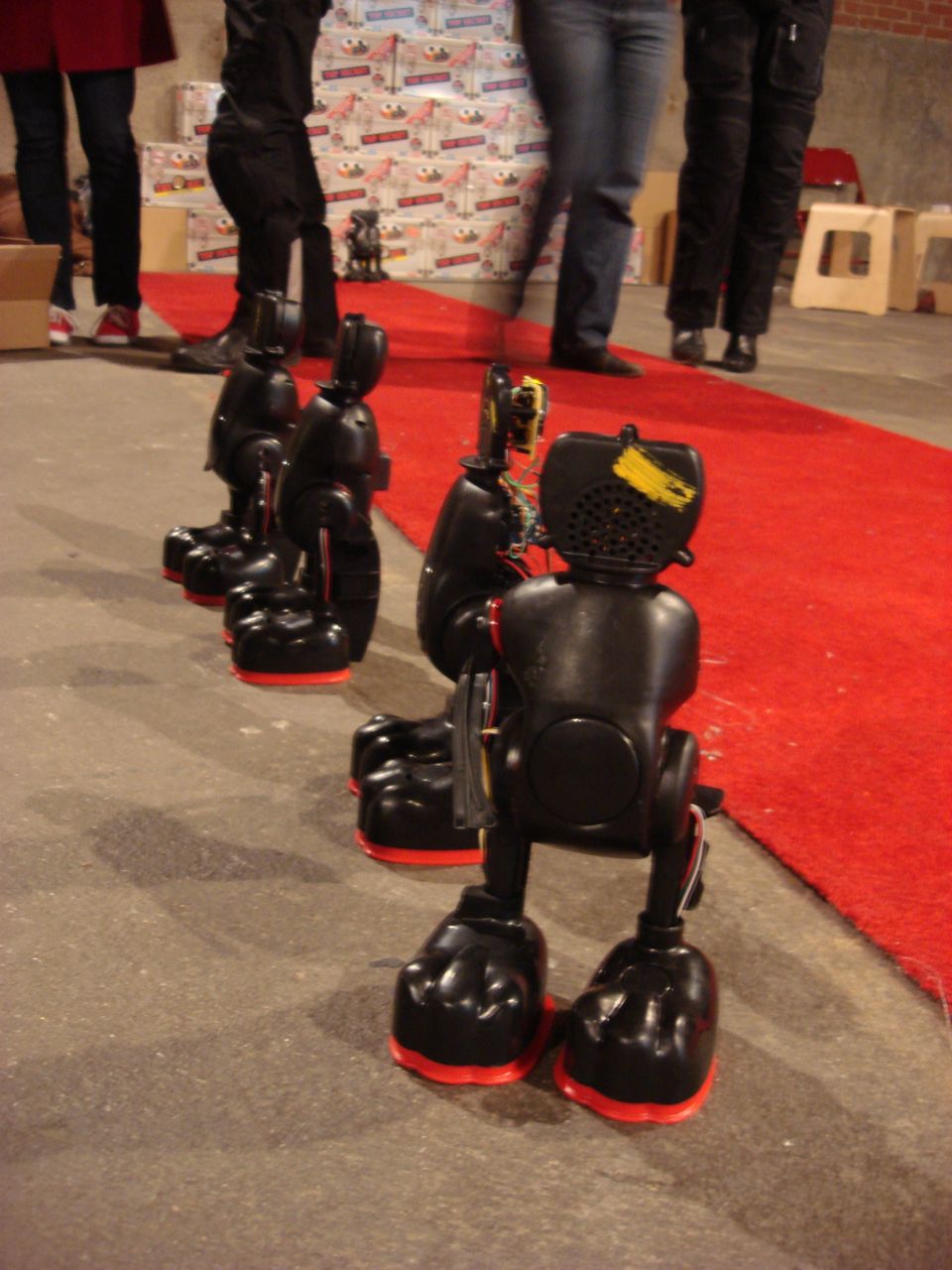
]]> this saturday i participated in the elmo hacking workshop at eyebeam. adrianne wortzel , a resident at eyebeam, has a project which involves synchronizing the movements of 50 tickle-me elmos. mike gazes and soyoung park realized adrianne’s idea by reverse engineering the elmo’s and creating a new control unit based around an atmel atmega168, using the arduino development environment. wireless communication is through xbee radios (so many of them).
 anyway, i went to meet the team last week and was introduced to the project, and yesterday during the holiday hackshop a bunch of dedicated volunteers deconstructed elmos, burned microchips and built the circuit boards. although we didn’t get all 50 built, we made great progress in getting the elmo army constructed….and saw the first live demo of 9 working together.
it was a great time, and the first time i’d been to eyebeam when it was open to the public. i missed out on the other workshops as i focused on soldering away. the experience of having to build many identical custom boards will definitely inform future projects. i realize now what the socialbomb kids were talking about when describing the process of creating the devices for their game…
I’ll be looking forward to the actual performance of the elmos at some point…

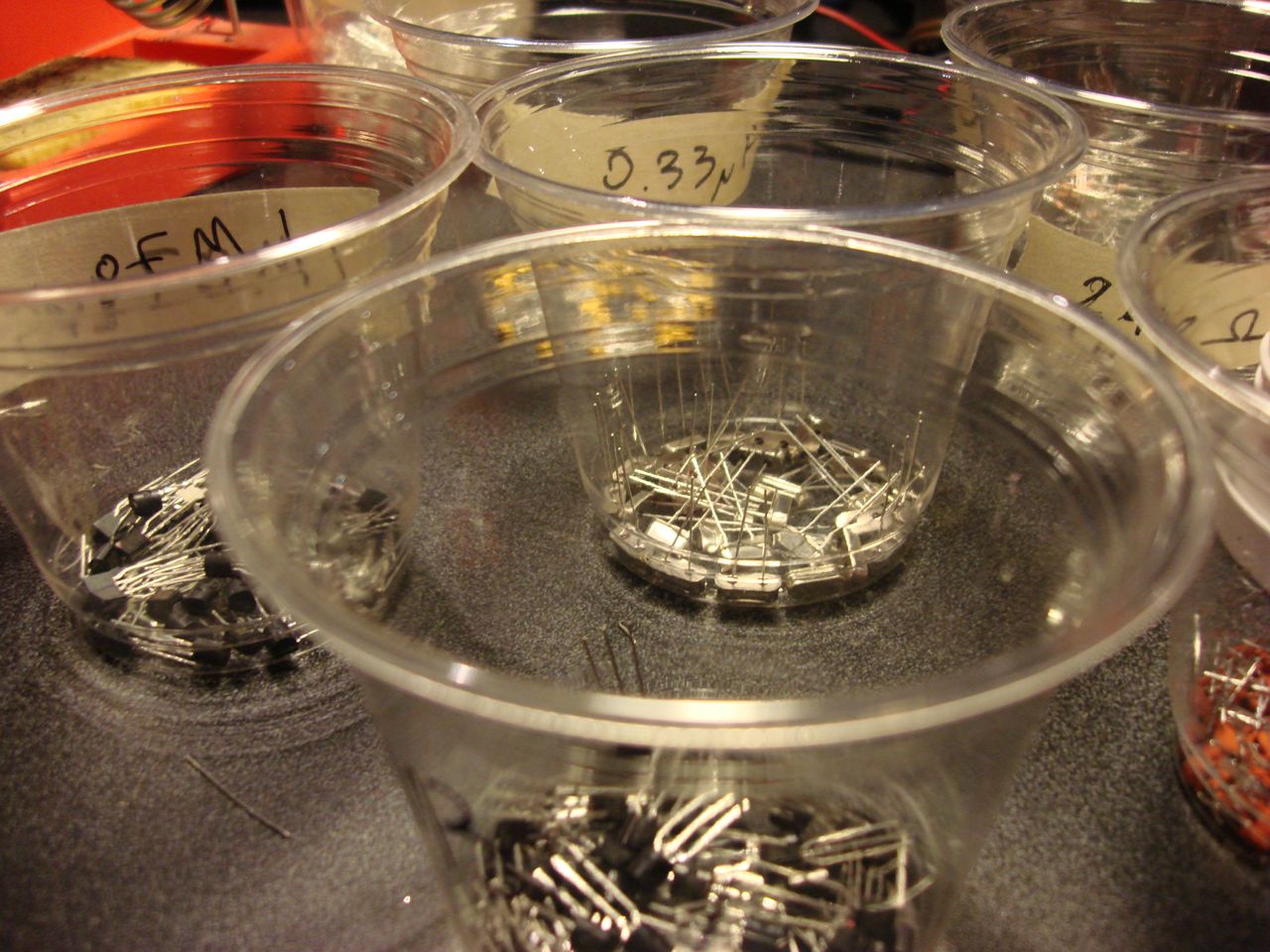
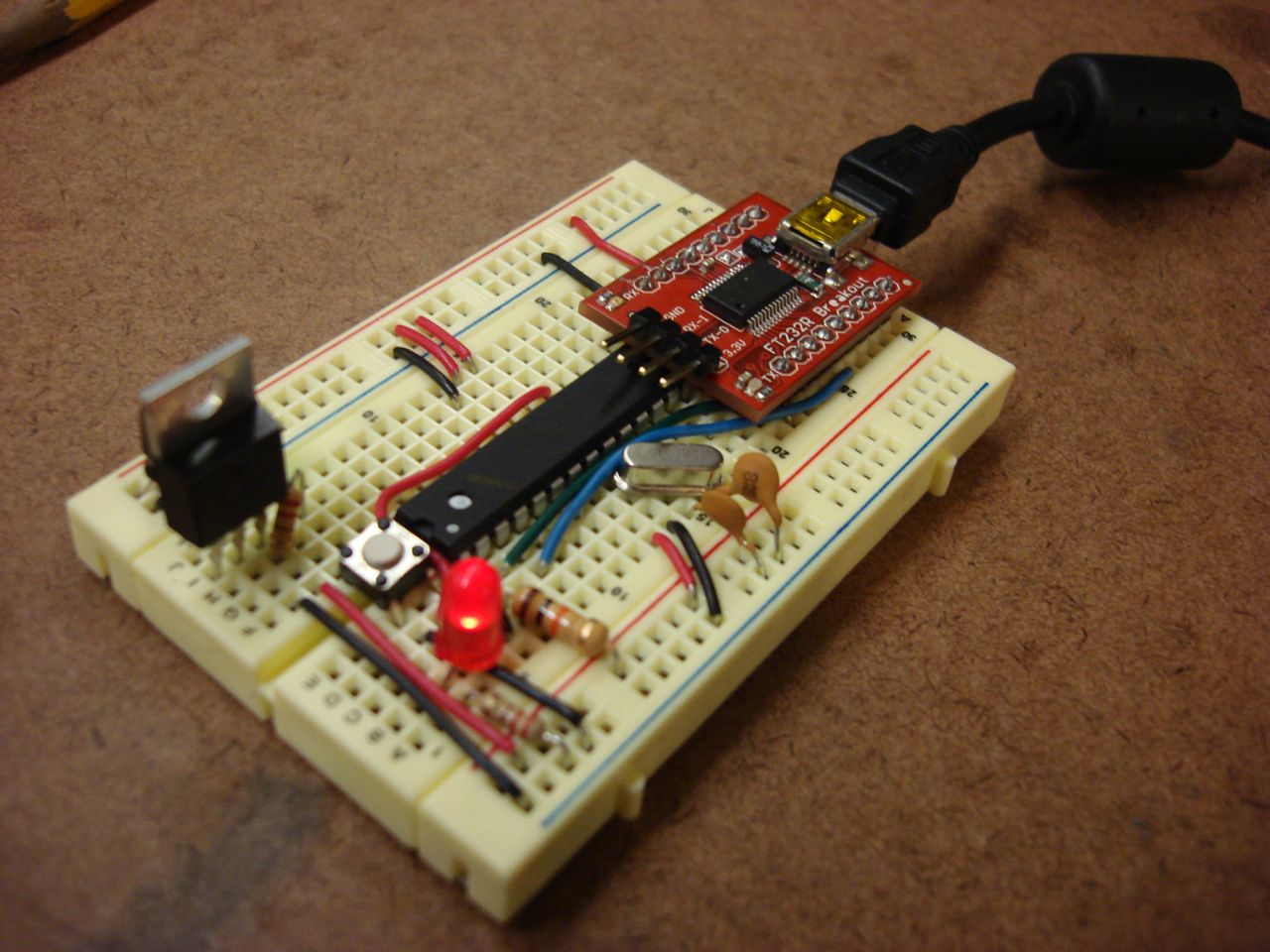 i got around to working directly with the Arduino’s microchip, the ATmega168, and built my first Arduino on a breadboard. part of the reason is cost…an Arduino Diecimila is $30, even the Barebones Arduino and similar clones are about $15. A raw ATmega168 chip is about $4, and the remaining parts (sans breadboard) are about $3 – so for $7 i can build a circuit around the Arduino’s chip and use the same programming environment.
the main reason to do this is flexibility. i can build ad hoc prototype circuits for individual projects relatively cheaply. also, if i fry a microcontroller it’s just a simple matter to swap it for a new one (which is also true of the packaged Arduino variants.
 i wanted to get experience burning bootloaders on raw chips, which then enables them to have new programs loaded easily over usb, typically using the Arduino development software. although we have chip programmers available at ITP, i wanted to try a documented method for using a modified Diecimila board directly to bootload new chips using the “bit bang” capability of the FTDI USB-Serial chip.
 the modification was pretty easy, and although manual (and windows-only) the avrdude-serjtag software was trouble free – at least when following instructions step-by-step. i successfully burned four new ATmega chips then uploaded the basic blink sketch to each.
i set up a breadboard following ITP’s notes, added a USB chip and uploaded some sketches. let me know if you can read the message in the below video :)
Back to the beginning – controlling a motor with the Arduino. So, the first step was getting acquainted with transistors to isolate the microcontroller’s power supply from the motor’s. The TIP120 is simple to use, if frustratingly similar looking to the 7805 power regulator. Below is a pic of the circuit for simple variable speed motor control. There is no H bridge here, so the motor only spins in one direction. The blue wire goes to the Arduino pin (digital PWM), red/black to the motor and +5v/transistor and the other black wire connects the transistor to ground. Base -> microcontroller, Collector -> motor, Emitter -> ground.

Doing this allows the circuit to have separate power for the motor…which can just barely be powered adequately by the Arduino directly. Running it off a 9V wall wart (through a 5V regulator) performs much better. Even a 9V battery works ok. (ignore the resistors on the breadboard below…they are a resistor ladder from a previous experiment)

Once the basic control was established, it was pretty simple to read a flex sensor and use it to control the speed of the motor.
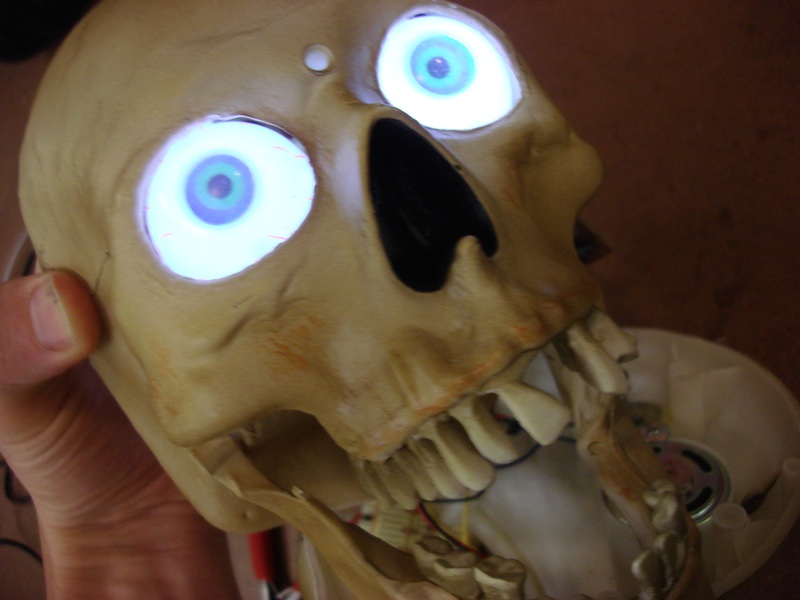
There has been talk of an ITP Haunted House for Halloween this year…which got me thinking about hacking the plethora of toys available. I found a great talking skull candy bowl at a department store across Broadway from school. It has a piezo and a photodiode sensor for detecting movement and light change. It also had an on/off switch and another switch that turned enabled the sensors.
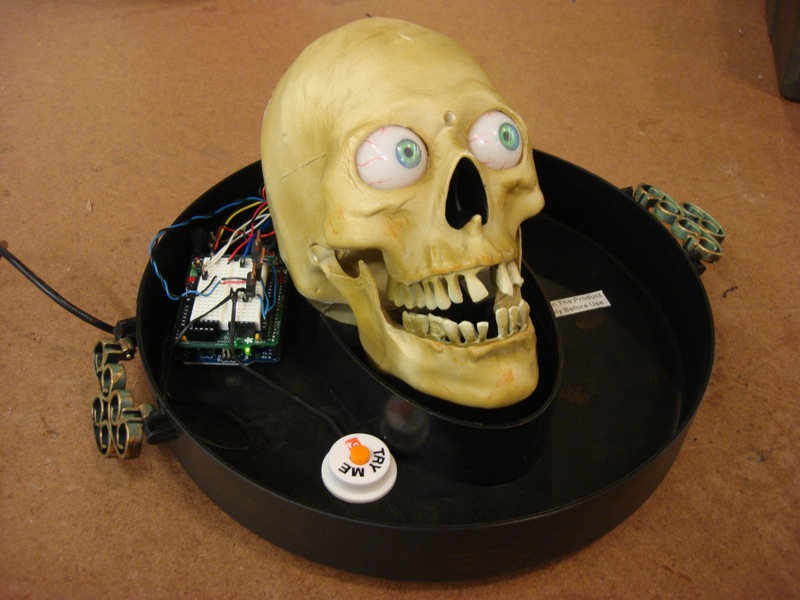
The mechanics of the motors and movement seemed solid and I didn’t want to mess with that. However, I thought that it would be neat to extend control of the device to an external interface. The result is that I’ve spliced transistors into the switches of the toy’s existing circuit.

The Arduino can be controlled via serial commands and will also report the status of switches. I also threw in a timer function to trigger the skull at a set interval. Here’s an early demo of the control:
I’d like to have some kind of network interface for controlling this…it would be neat for some physically distant event to trigger the skull. For the meantime I have a Processing sketch as a visual interface to the serial commands.


Arduino code:
// hacking the skull toy
/*
the toy has a piezo and photodiode for activting it
there is also a momentary switch for turning it on and off

there are two motors, two LEDs and a speaker all driven by an IC

it is operated by about 4.5V (three AA batteries) and seems to draw up to 1A - usually 800mA.
can run it off a 9V wall wart through a 7508 regulator, although the heat sink gets really hot

there is a switch to enable the sensors.

thinking of overriding ond of the sensors to enable the microcontroller to activate the toy
*/

int switchPin = 2;
int timedFlag = 0;

int speakerPin = 3;
int speakerFlag = 1;

int sensorsPin = 4;
int sensorsFlag = 0;

static int TIMER_DUR = 15000;

long timer;

void setup(){
Serial.begin(9600);
pinMode(switchPin,OUTPUT);
pinMode(sensorsPin,OUTPUT);
pinMode(speakerPin,OUTPUT);
}

void loop(){
int var = digitalRead(switchPin);

if(timedFlag == 1){
if(millis() - timer > TIMER_DUR){
digitalWrite(switchPin, HIGH);
// Serial.println("Switch went high");
delay(20);
digitalWrite(switchPin,LOW);
// Serial.println("Switch went low");
timer = millis();
}
}

if(Serial.available()>0) {
int incoming = Serial.read();

switch(incoming){
case 'a':
Serial.println(var);
break;
case 's':
if(sensorsFlag == 0){
sensorsFlag = 1;
// Serial.println("Sensors on");
}
else {
sensorsFlag = 0;
// Serial.println("Sensors off");
}
digitalWrite(sensorsPin,sensorsFlag);
break;
case 't':
if(timedFlag == 0){
timedFlag = 1;
// Serial.println("Timer on");
}
else {
timedFlag = 0;
// Serial.println("Timer off");
}
break;

case 'r':
// send status report:
// Human readable:
/*
Serial.print("Sensors: ");
Serial.println(sensorsFlag);
Serial.print("Speaker: ");
Serial.println(speakerFlag);
Serial.print("Timer Flag: ");
Serial.println(timedFlag);
Serial.print("Timer: ");
Serial.println(millis()-timer);
*/

// for talking to Processing
Serial.print(sensorsFlag,BYTE);
Serial.print(speakerFlag,BYTE);
Serial.print(timedFlag,BYTE);
Serial.print(0,BYTE);
break;

case 'o':
// toggle on/off
digitalWrite(switchPin, HIGH);
delay(30);
digitalWrite(switchPin,LOW);
//Serial.println("On/Off toggled");
break;

case 'm':
// toggle the speaker
if(speakerFlag == 0){
speakerFlag = 1;
//Serial.println("Speaker on");
}
else {
speakerFlag = 0;
//Serial.println("Speaker off");
}
digitalWrite(speakerPin,speakerFlag);
break;

}
}

}
And the Processing code:
import processing.serial.*;

// control the skull via serial
// 2008 r. carlsen

/*
// call/response:
 Send 'r' (report)
 Sensors: 0|1
 Speaker: 0|1
 Timer Flag: 0|1
 Timer: long

 's' toggles sensors
 'o' immediately toggles on/off
 'm' toggles the speaker
 't' toggles the 15 second timer

 */

PFont font;
Serial myPort;
String inString;    // Incoming serial data
int skullStatus[] = new int[4];
float margin = 75;

boolean firstRun = true;

float buttonLoc[][] = new float [4][4]; // l,t,r,b

void setup() {
  size(500,150);

  String portName = Serial.list()[0];
  myPort = new Serial(this, portName, 9600);

  font = createFont("SansSerif",18);
  textFont(font);
}

void draw() {
  background(102);

  // query the device and wait for the arduino to initialize
  if(firstRun){
    if(millis() > 2000){
      getReport();
      firstRun =false;
    }
    else {
      // silly label
      textAlign(RIGHT);
      textSize(10);
      fill(204);
      text("[loading...]", width-15,15);
    }
  }

  for(int i=0;i<4;i++){
    // query the status

    int curData = skullStatus[i];

    float x = lerp(margin,width-margin,i/3f);
    float y = height/2 - 10;

    fill(map(curData,0,1,50,255));
    stroke(0);

    rectMode(CENTER);
    rect(x,y,margin,margin);

    buttonLoc[i][0] = x-margin/2;
    buttonLoc[i][1] = y-margin/2;
    buttonLoc[i][2] = x+margin/2;
    buttonLoc[i][3] = y+margin/2;

    // display labels
    fill(204);
    textFont(font);
    textAlign(CENTER);
    String label;

    switch(i){
    case 0:
      label = "Sensors";
      break;
    case 1:
      label = "Speaker";
      break;
    case 2:
      label = "Timer";
      break;
    default:
      label = "On/Off";
      break;
    }

    text(label,x,y+65);
  }

  // silly label
  textAlign(LEFT);
  textSize(10);
  fill(204);
  text("skull control | v0.01 | oct 2008 | r.carlsen", 15,15);

}

void serialEvent(Serial myPort) {
  // now assuming 4 byte messages
  // sensors|speaker|timer|unused
  if(myPort.available() > 3){
    inString = myPort.readString();
    //println(inString);
    for(int i=0;i<inString.length();i++){
      skullStatus[i] = int(inString.charAt(i));
    }
    //println(skullStatus);
  }
}

void keyPressed(){
  switch(key){
  case 's':
  case 'o':
  case 'm':
  case 't':
    myPort.write(key);
    getReport();
    break;
  case 'r':
    getReport();
    break;
  }
}

void mousePressed() {
  for(int i=0;i<buttonLoc.length;i++){
    if(mouseX>=buttonLoc[i][0] && mouseY >= buttonLoc[i][1] && mouseX <= buttonLoc[i][2] && mouseY <= buttonLoc[i][3]){
      // we've been pressed!

      //println("button pressed!");

      switch(i){
      case 0:
        // sensors
        myPort.write('s');
        break;
      case 1:
        // mute
        myPort.write('m');
        break;
      case 2:
        // timer
        myPort.write('t');
        break;
      case 3:
        // on/off
        myPort.write('o');
        break;
      }
      // update the status report
      getReport();
    }
  }
}

void getReport() {
  // request report
  myPort.write('r');

}
]]>