 Recently an open source emulator for AirPort Express / AirTunes was released by James Laird. I’ve been waiting for something like this for a long while to enable remote music playback on my media center from my laptop and iPhone. However, I lack the hardware skills to extract the necessary firmware from the AirPort Express ROM chip. Thanks to James for doing the work and putting out his perl script / c utility. It’s pretty simple to build and run, and the source includes a nice OS X launcher script, but I’m looking for a little GUI widget to easily control it lest someone ‘inadvertently’ decides to send audio to my computer.
I’ve been lately transitioning my iPhone-specific Cocoa knowledge to the desktop; this was a nice opportunity to wrap up the ShairPort scripts in an OS X menu bar widget. The source is available on Github, and you can get the bundled app below. This was made for my specific system, so YMMV.
ShairPortMenu: [download]
]]> For this year’s Philadelphia Fun-A-Day project I decided to write “Hello World” programs. “Hello World” is a traditional programming tradition where a programmer encountering a new language writes a trivial program which displays the phrase “Hello World”.
This introduces the programmer to the basic syntax of the language and demonstrates that their development environment is set up properly to work with that language.
Much of our current environment runs on software, which is generally invisible to us, except when a failure impacts our lives. However, software generally starts as human-readable written text, albeit in a highly defined form using specific vocabulary.
This project attempts to make software visible, in at least a trivial way. The words and structure may differ between languages, but each program is a series of instructions to achieve some end – here to issue a friendly “Hello Fun-A-Day 7!”. Hopefully this can serve to demystify software to some degree, and remind us that software, at some point, has been written by a person.
 The programs here demonstrate a Fun-A-Day variant on Hello World in several languages. I made an effort to explore historical and modern languages, compiled and interpreted languages, console and graphical programs, but avoided esoteric languages which are often difficult to understand by design.
The Association for Computing Machinery has a collection of Hello World programs:
http://www2.latech.edu/~acm/HelloWorld.html
(Note: I’m generally referring to high-level languages, not considering assembly or binary code. If you’ve read this far, and understand what I mean, then you’ll forgive this simplification made for clarity of purpose)
Language: C
#include <stdio.h>

int main(int argc, char* argv)
{
    printf("hello fun-a-day 7! \n");
    return 0;
}

Language: JavaScript
// Use Rhino intrepreter to run in a shell
// http://www.mozilla.org/rhino/download.html

function sayHello() {
    print('Hello Fun-A-Day 7!');
};

sayHello();

Language: Arduino / Wiring (C++)
#include "WProgram.h"

// prototypes
void blink(int n, int d);

#define unit 100
void dot(int n);
void dash(int n);
void gap();
void pause();
void space();

// variables
int ledPin = 13;                      // LED connected to digital pin 13

void setup(){
    Serial.begin(9600);               // opens serial port, sets data rate to 9600 bps

    pinMode(ledPin, OUTPUT);          // sets the digital pin as output

    // print a friendly message to the serial console:
    Serial.println("-------------------");
    Serial.println(" Hello Fun-A-Day 7");
    Serial.println("-------------------");
}

void loop(){
    // display "Hello Fun A Day 7" in morse code:
    dot(4); pause();                  // H
    dot(1); pause();                  // E
    dot(1); dash(1); dot(2); pause(); // L
    dot(1); dash(1); dot(2); pause(); // L
    dash(3);                          // O
    space();
    dot(2); dash(1); dot(1); pause(); // F
    dot(2); dash(1); pause();         // U
    dash(1); dot(1);                  // N
    space();
    dot(1); dash(1);                  // A
    space();
    dash(1); dot(2); pause();         // D
    dot(1); dash(1); pause();         // A
    dash(1); dot(1); dash(2);         // Y
    space();
    dash(2); dot(3);                  // 7
    space();
    dot(3); dash(1); dot(1); dash(1); // end-of-message
    space();space();space();
    space();space();space();
}

void blink(int n, int d){
  for (int i=0;i<n;i++)
  {
    digitalWrite(ledPin, HIGH);
    delay(d);
    digitalWrite(ledPin, LOW);
    delay(unit);
  }
}

// timing as specified by International Morse Code
void dot(int n) {
    blink(n, unit);
}

void dash(int n) {
    blink(n,3*unit);
}

void gap() {
    delay(unit);
}

void pause() {
    delay(3*unit);
}

void space() {
    delay(7*unit);
}

int main(void)
{
    init();
    setup();
    for (;;)
        loop();
    return 0;
}
Language: Perl
# Fun-A-Day 7
# Perl
#

sub sayHello {
    printf("Hello Fun-A-Day 7!\n");
}

sayHello;

Language: Cobol
 IDENTIFICATION DIVISION.
      PROGRAM-ID. HELLO-WORLD.
      PROCEDURE DIVISION.
          DISPLAY 'Hello Fun-A-Day 7!'.
          STOP RUN.
Language: BASIC
10 print "Hello Fun-A-Day 7!"
20 goto 10
Language: C++
#include <iostream>
using namespace std;

class FunADay {
    public:
        FunADay () {};
        void sayHello() {
            cout << "Hello Fun-A-Day 7!" << endl;
        };
};


int main()
{
    FunADay *fad = new FunADay();
    fad->sayHello();
    delete fad;

    return 0;
}

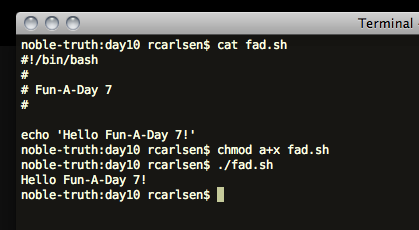
Language: bash
#!/bin/bash
#
# Fun-A-Day 7
#

echo 'Hello Fun-A-Day 7!'
Language: Processing
// Fun-A-Day 7
// Processing example

void setup()
{
  // initialize the canvas and set some paramaters
  size(100,100);
  smooth();
  noStroke();
}

void draw()
{
  // partially "erase" the previous screen
  // by drawing a semi-transparent, black rectangle on top
  fill(0,55);
  rect(0,0,width,height);

  // draw another ellipse
  fill(204);
  float x = random(width); float y = random(height);
  ellipseMode(CENTER);
  ellipse(x,y,20,20);

  // be friendly
  sayHello();
}

void sayHello()
{
  println("Hello Fun-A-Day 7!");
}
Language: Python
# Fun-A-Day 7
# python example
#
# be sure to mind your indentation!

def sayHello():
    print "Hello Fun-A-Day 7!"

sayHello()
Language: Ruby
class FunADay
    def sayHello()
        print "Hello Fun-A-Day 7!"
        print "\n"
    end
end

fad = FunADay.new
fad.sayHello
Language: Java
package net.robertcarlsen;

public class FunADay {
	public static void sayHello()
	{
		System.out.println("Hello Fun-A-Day 7!");
	}

	public static void main(String[] args) {
		sayHello();
	}

}
Language: C#
/* Fun-A-Day 7
 *
 * C#
 */

class HelloFunADay
{
  static void Main () {
     System.Console.Write("Hello Fun-A-Day 7!\n");
  }
}
Language: sed (bash)
#!/bin/bash

# This is just a simple example of using sed
# for find and replace.
# echo will just spit out the quoted text
# '|' is the pipe operator, and sends the output from
# echo to the next program, in this case sed
# sed is using the 's'earch operation
# 's/find stuff here/replace it here/'
# the parentheses match stuff that we can refer to later as \1
# .* means match any character, zero or more repeated times
# but it won't include the literal phrase " World" because that's
# specifically written in the match expression.

echo "Hello World" | sed 's/\(.*\) World/\1 Fun-A-Day 7!/'
Language: Lisp
;;; Fun-A-Day 7
;;; Robert Carlsen
;;;
;;; Lisp version

(defun sayhello ()
  "the basic hello" ; make sure to be friendly
  (format t "Hello Fun-A-Day 7!")
)
Language: php
<?php
    printf("Hello Fun-A-Day 7! \n");
?>
Language: Go
package main

import "fmt"

func main() {
	fmt.Println("Hello, Fun-A-Day 7!")
}
Language: Objective-C / Cocoa
(There is far too much boilerplate code and dependent project files to paste here, but this is the bit which drives some simple interaction – displaying an alert if you tap the badger image several times)
@interface Fun_a_Day7ViewController : UIViewController {
}

@property(nonatomic,retain)IBOutlet UILabel *badgerLabel;
- (IBAction)badger:(id)sender;
@end

@implementation Fun_a_Day7ViewController
@synthesize badgerLabel;

static int count = 0;

- (IBAction)badger:(id)sender;
{
    self.badgerLabel.hidden = !self.badgerLabel.hidden;

    if(++count > 4) {
        UIAlertView *alert = [[UIAlertView alloc] initWithTitle:@"Badger"
                                                        message:@"No, seriously...quit badgering me!"
                                                       delegate:nil
                                              cancelButtonTitle:@"Stop it"
                                              otherButtonTitles:nil];
        [alert show];
        [alert release];
        count = 1;
    }
}
@end
Language: R
# Fun-a-day 7
# R language for statistical computing
#
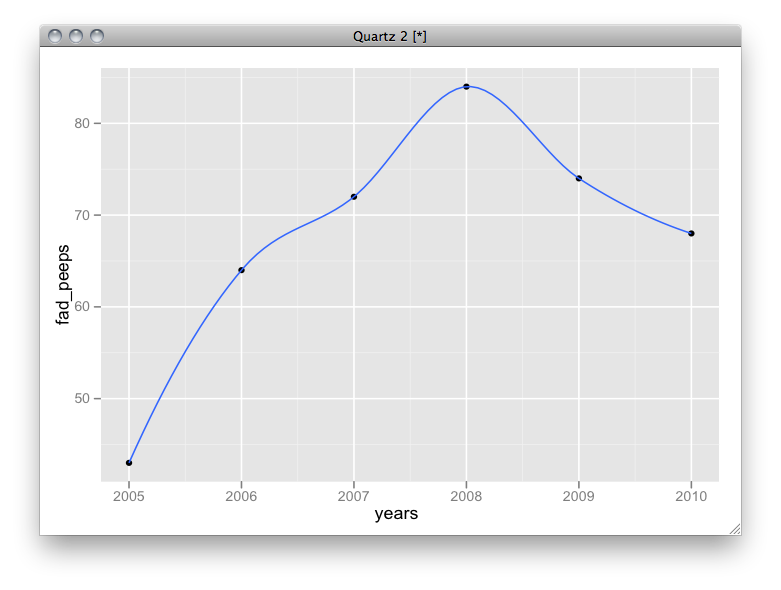
fad_peeps <- c(43,64,72,84,74,68)
years <- seq(2010-5,2010)
data.frame(years,fad_peeps) -> fadData
fadData
#  years fad_peeps
#1  2005        43
#2  2006        64
#3  2007        72
#4  2008        84
#5  2009        74
#6  2010        68
require(ggplot2)
qplot(years,fad_peeps,fadData) + geom_smooth()
Update: The script has been updated, thanks mostly to the prompting of fopen2003 in the comments below. I’ve successfully tested the resulting libs in both Simulator and an iPhone 4 (both at iOS4.x) using the PocketOCR project.
After many requests, I finally got around to looking into updating the build script to cross-compile tesseract ocr v3 for use with iPhone. Here’s the script. It seems to build the static, fat library without error. I haven’t tried to update my app to use it yet, so I really don’t know if it even works. Let me know in the comments if it actually does indeed work.
- Check out the svn source of tesseract: http://code.google.com/p/tesseract-ocr/source/checkout
- Copy this script into the source directory and run from there
- Profit???
The libraries will be in a directory named “outdir”
#!/bin/sh
# build_fat.sh
#
# Created by Robert Carlsen on 15.07.2009. Updated 24.9.2010
# build an arm / i386 lib of standard linux project
#
# initially configured for tesseract-ocr v2.0.4
# updated for tesseract prerelease v3

outdir=outdir
mkdir -p $outdir/arm $outdir/i386

libdirs=( api ccutil ccmain ccstruct classify cutil dict image textord training viewer wordrec )
libs=( api ccutil main ccstruct classify cutil dict image textord training viewer wordrec )
count=${#libdirs[@]}


make distclean
unset CPPFLAGS CFLAGS LDFLAGS CPP CXX CC CXXFLAGS DEVROOT SDKROOT LD

export DEVROOT=/Developer/Platforms/iPhoneOS.platform/Developer
export SDKROOT=$DEVROOT/SDKs/iPhoneOS4.1.sdk
export CFLAGS="-arch armv6 -pipe -no-cpp-precomp -isysroot$SDKROOT -miphoneos-version-min=3.0 -I$SDKROOT/usr/include/"
export CPPFLAGS="$CFLAGS"
export CXXFLAGS="$CFLAGS"
export LDFLAGS="-L$SDKROOT/usr/lib/"
export LD="$DEVROOT/usr/bin/ld"
export CPP="$DEVROOT/usr/bin/cpp-4.2"
export CXX="$DEVROOT/usr/bin/g++-4.2"
export CC="$DEVROOT/usr/bin/gcc-4.2"
./configure --host=arm-apple-darwin
make -j3

index=0
while [ "$index" -lt "$count" ]
do
    cp ${libdirs[index]}/.libs/libtesseract_${libs[index]}.a $outdir/arm/libtesseract_${libs[index]}_armv6.a
    ((index++))
done


make distclean
unset CPPFLAGS CFLAGS LDFLAGS CPP CXX CC CXXFLAGS DEVROOT SDKROOT LD

export DEVROOT=/Developer/Platforms/iPhoneSimulator.platform/Developer
export SDKROOT=$DEVROOT/SDKs/iPhoneSimulator4.1.sdk
export CFLAGS="-arch i386 -pipe -no-cpp-precomp -isysroot$SDKROOT -miphoneos-version-min=3.0 -I$SDKROOT/usr/include/"
export CPPFLAGS="$CFLAGS"
export CXXFLAGS="$CFLAGS"
export LDFLAGS="-L$SDKROOT/usr/lib/"
export LD="$DEVROOT/usr/bin/ld"
export CPP="$DEVROOT/usr/bin/cpp-4.2"
export CXX="$DEVROOT/usr/bin/g++-4.2"
export CC="$DEVROOT/usr/bin/gcc-4.2"
./configure
make -j3

index=0
while [ "$index" -lt "$count" ]
do
    cp ${libdirs[index]}/.libs/libtesseract_${libs[index]}.a $outdir/i386/libtesseract_${libs[index]}_i386.a
    ((index++))
done


# are the fat libs making the bundle too big?
index=0
while [ "$index" -lt "$count" ]
do
    /usr/bin/lipo -arch armv6 $outdir/arm/libtesseract_${libs[index]}_armv6.a -arch i386 $outdir/i386/libtesseract_${libs[index]}_i386.a -create -output $outdir/libtesseract_${libs[index]}.a
    ((index++))
done

unset CPPFLAGS CFLAGS LDFLAGS CPP CXX CC CXXFLAGS DEVROOT SDKROOT
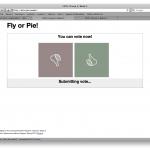
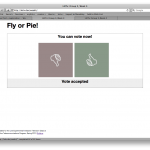
]]>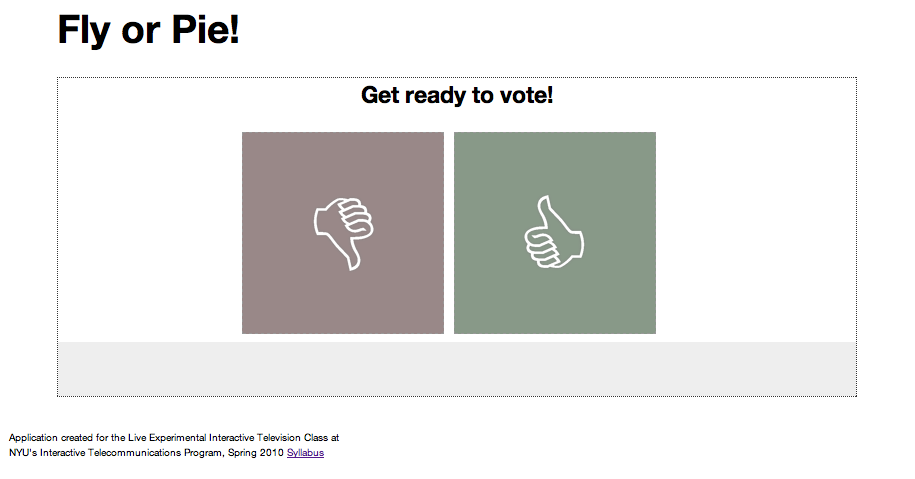 This assignment was to develop a concept around a two-screen, live event experience; specifically, using TV and computer via internet. Our group’s concept was a variety-style, Gong Show inspired show with binary voting from viewers to determine via aggregate whether a performance was Fly (a rousing success) or Pie (a miserable failure) which received a whipped cream pie in the face. (We’re a classy outfit here..)
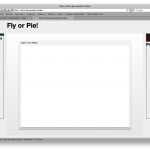
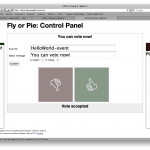
My contribution to the project was the web voting interface and database backend as well as a simple API for communicating with it. I wrote the application using the Sinatra microframework for Ruby and utilized couchrest to communicate with a CouchDB database. A control panel interface enabled an operator to update the voting interface status messages and to open the next event for voting. A display page mocked up the live video with Fly and Pie status bars for viewers to watch.
Although the system is very rudimentary, all the pieces are in place for a live voting situation. During the class demo however, the server was crippled by only a dozen simultaneous connections, and become sluggish enough to be unusable. I believe that the problem stemmed from each of the clients polling the database, and couchrest seems to update a view each time it’s requested. CouchDB is quite fast at reads, but far slower at writes, and I think these things combined to make a big problem.
I think that performance could be greatly enhanced if status polling were eliminated, or at least read from static file that was generated by the control application or server when data needed to be refreshed.
Live voting is a tested and successful model, and the class seemed to enjoy the real-time updates at the beginning while the system was responsive. The show itself was successful largely thanks to Gordie and Lisa Maria’s performances (and willingness to take a pie to their faces from Jong Yoon).


 ]]>
]]>Below is a short python script to parse a Foursquare KML file into a simple CSV file. It outputs the check-in name, description, timestamp and location (as lat, lon). The Foursquare KML feed is available at the Feeds page on their site.This script relies on BeautifulSoup and, of course, python. Give the script the filename of the KML file you want to parse and it will output out.csv in the current directory. eg.
$ python parse_kml.py MyFoursquareFeed.kml
Here’s the file: parse_kml
# parse each file from the photo collection and export data into CSV.
# will need: os.listdir(path)
import sys
import os
import codecs
import csv
from BeautifulSoup import BeautifulStoneSoup

# get the file list:
if len(sys.argv) > 1:
    dir = sys.argv[1]
else:
    dir = os.getcwd()

file = dir

# create the output dictionary
outputData = []

# sanity checking, only work on kml files
if file.endswith('.kml') == 0: sys.exit(-1)

print "Reading file: "+file

fh = codecs.open(file,'r',"utf-8")
html = fh.read()
fh.close()

soup = BeautifulStoneSoup(html)
#print soup.prettify()

# create a new dictionary for the current image's data
imageData = dict();

# get the image data:
dataTable = soup.findAll('placemark')
for i in dataTable:
    row = i.contents

    # add the current data to the dict
    imageData = {}
    imageData['Name'] = row[0].contents[0].string.encode("ascii","ignore")
    imageData['Description'] = row[1].contents[0].string.encode("ascii","ignore")
    imageData['Time'] = row[3].contents[0].string.encode("ascii","ignore")
    coord = row[5].coordinates.contents[0].string.encode("ascii","ignore")
    imageData['Lon'] = coord.split(',')[0]
    imageData['Lat'] = coord.split(',')[1]

    # add this image's data to the list
    outputData.append(imageData)

#print outputData

# create the output file
out = codecs.open(os.getcwd() + "/out.csv", 'w',"utf-8")
firstRun = 1

print "Writing output file: "+ out.name
try:
    fieldnames = sorted(outputData[0].keys())
    fieldnames.reverse()
    writer = csv.DictWriter(out,dialect='excel', fieldnames=fieldnames, extrasaction='ignore', quoting=csv.QUOTE_NONNUMERIC)
    headers = dict( (n,n) for n in fieldnames )
    writer.writerow(headers)

    for row in outputData:
         writer.writerow(row)

finally:
    out.close()
]]>
The app arranges illustrations of animals wearing lettered t-shirts to create user-supplied messages. Kara Schlindwein created the illustrations as part of her project for the 6th Annual Fun-a-Day project in Philadelphia, and I wrote the first draft of the app while sitting in a chair at the show a couple of weeks ago, still nursing my broken ankle.
I’ve come to really like working with Sinatra / HAML / SASS – once I had a basic comprehension of how the components fit together I could see how to organize the app without getting mired in the code. Making changes to the app has been pleasantly easy. Deployment via Passenger (mod_rails) on Apache was simple enough my my local and development servers (after reading sample virtual host configurations) and setting up a subdomain on Dreamhost has been fine, too. Everything is coordinated via git, so pushing changes around has been simple.
I first heard about Sinatra (and couchdb for that matter) in a presentation by Daniel Tsadock at ITP last year and I’ve kept it in the back of my mind as something I wanted to try. I’m just now getting to development of my thesis project website and decided to use Sinatra for it, although I had a disappointing experience with the performance of another Sinatra + couchrest app I wrote for the Live Experimental Interactive Television class this past week. My VPS development server ground to a halt when a dozen classmates attempted to use the app at the same time. I’m pretty sure that my code was somewhat inefficient (with each client polling couchdb through an api provided via Sinatra routes), however I was hoping for usability beyond 12 simultaneous connections. I’m still optimistic though that it will work, and writing an app with the framework and view templates is fast and actually pretty fun.
]]>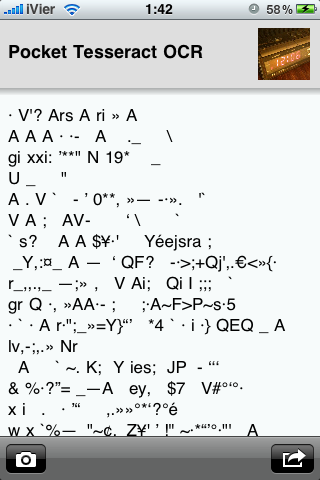 The source code for the Tesseract OCR for iPhone project has been published. It’s really simple – more of a skeleton, proof-of-concept project than anything else. Still, though, it’s neat to have nearly point-and-shoot text conversion in your pocket.
The project page is: Pocket OCR
The source code is available at github: http://github.com/rcarlsen/Pocket-OCR
There is certainly a lot of improvement to be made. Automatic color correction. Page layout recognition. Perspective correction…the list could go on. The code is there, so…fork away!
(the thumbnail is a bit tongue-in-cheek…but honest. good conversion requires a good source image: well-lit, macro, focused and tightly cropped seems best)
]]>
i finally got around to building a proof of concept implementation of tesseract-ocr for the iPhone. months ago, i documented the steps which helped to get the library cross-compiled for the iPhone’s ARM processor, and how to build a fat library for use with the simulator as well. several folks have helped immensely in noting how to actually run the engine in obj-c++. thanks to everyone who has commented so far.
anyway, below is a short video of the POC in action. the basic workflow is: select image from photo library or camera, crop tightly on the box of text you’d like to convert, wait while it processes, select / copy or email text.
there are loads of improvements which could be implemented (image histogram adjustment, rotation / perspective correction, automatic text box/layout detection, content detection – dates, links, contact information…) but this is a nice point to stop and document.
i realize that there are several OCR applications available for the iPhone, including a few which also run the engine on the device rather than handing it off to a web service. this started as an educational project on cross-compiling, and to fill a personal want for a handheld OCR app of my own. for these reasons, i’m going to open-source the entire app. look for it after this semester ends when i’ll have some more time to properly document the code. in the meantime, enjoy these code snippets demonstrating how to initialize the engine and process an image.
Initialize the engine:
    NSString *dataPath = [[self applicationDocumentsDirectory] stringByAppendingPathComponent:@"tessdata"];
    /*
     Set up the data in the docs dir
     want to copy the data to the documents folder if it doesn't already exist
     */
    NSFileManager *fileManager = [NSFileManager defaultManager];
    // If the expected store doesn't exist, copy the default store.
    if (![fileManager fileExistsAtPath:dataPath]) {
        // get the path to the app bundle (with the tessdata dir)
        NSString *bundlePath = [[NSBundle mainBundle] bundlePath];
        NSString *tessdataPath = [bundlePath stringByAppendingPathComponent:@"tessdata"];
        if (tessdataPath) {
            [fileManager copyItemAtPath:tessdataPath toPath:dataPath error:NULL];
        }
    }

    NSString *dataPathWithSlash = [[self applicationDocumentsDirectory] stringByAppendingString:@"/"];
    setenv("TESSDATA_PREFIX", [dataPathWithSlash UTF8String], 1);

    // init the tesseract engine.
    tess = new TessBaseAPI();

    tess->SimpleInit([dataPath cStringUsingEncoding:NSUTF8StringEncoding],  // Path to tessdata-no ending /.
                     "eng",  // ISO 639-3 string or NULL.
                     false);
Process an image. This should be threaded as it’s a heavy process:
    CGSize imageSize = [uiImage size];
    double bytes_per_line	= CGImageGetBytesPerRow([uiImage CGImage]);
    double bytes_per_pixel	= CGImageGetBitsPerPixel([uiImage CGImage]) / 8.0;

    CFDataRef data = CGDataProviderCopyData(CGImageGetDataProvider([uiImage CGImage]));
    const UInt8 *imageData = CFDataGetBytePtr(data);

    // this could take a while. maybe needs to happen asynchronously.
    char* text = tess->TesseractRect(imageData,
                                     bytes_per_pixel,
                                     bytes_per_line,
                                     0, 0,
                                     imageSize.width, imageSize.height);

    // Do something useful with the text!
    NSLog(@"Converted text: %@",[NSString stringWithCString:text encoding:NSUTF8StringEncoding]);

    delete[] text;
Enjoy the video!
iTunes also seems to be entirely unhelpful when something goes wrong with the “unknown error” message. What could it be? Code sign error? Unprovisioned device? Incorrect OS target? Mismatch in the app and mobileprovision file? It’s all a mystery in the iTunes universe.
Despite the inconvenience involved with having to generate a new ad hoc mobileprovision profile each time I add a new beta tester device, requiring a recompile of the beta app, it’s nice to finally get an app out to other non-development devices.
The ad hoc distribution process is documented well (enough) on Apple’s dev portal and on several other blogs, but my real stumbling block was navigating the Xcode interface to ensure that the proper code signing profile was being included in the binary (hint, look at the verbose build output for “embedded.mobileprovision” and ensure that the mobileprovision ID matches the correct version.)
I’ve also been getting trouble with Xcode not building using the correct provisioning, despite updating the target info and cleaning out the build folder. A restart of the program usually gets it sorted.
The next step will be to set up a Distribution build for the App Store submission. We’ll see how that goes in the end…
]]>there was no improvement despite several rounds of optimizing the openGL drawing code and plugging several memory leaks.
finally, in frustration i bumped the explicit frame rate declaration from the default 60 fps to 120 fps. i realize that ofSetFrameRate(60) is merely the upper limit of the frame rate, and that the hardware won’t actually go faster than it can handle, however this immediately improved performance on the 3GS and the first gen is about the same as it was. further improvement was had with a declared frame rate of 240 fps.
i haven’t had a chance to look into the underlying issue, but i believe that oF is using NSTimer under the hood to trigger a scheduled update() and draw(). has there been some change in the SDK there?
]]>